 CurrencyHover AndroidiPhone
Every price on your screen, in your currency.
Each price gets a small tag with what it costs you at today’s rate: in any app on Android, and in screenshots and through the camera on iPhone. Made for booking rides, ordering food and shopping abroad.

- Coming soon to theApp Store
Free · Live rates for 160+ currencies · No account, no ads
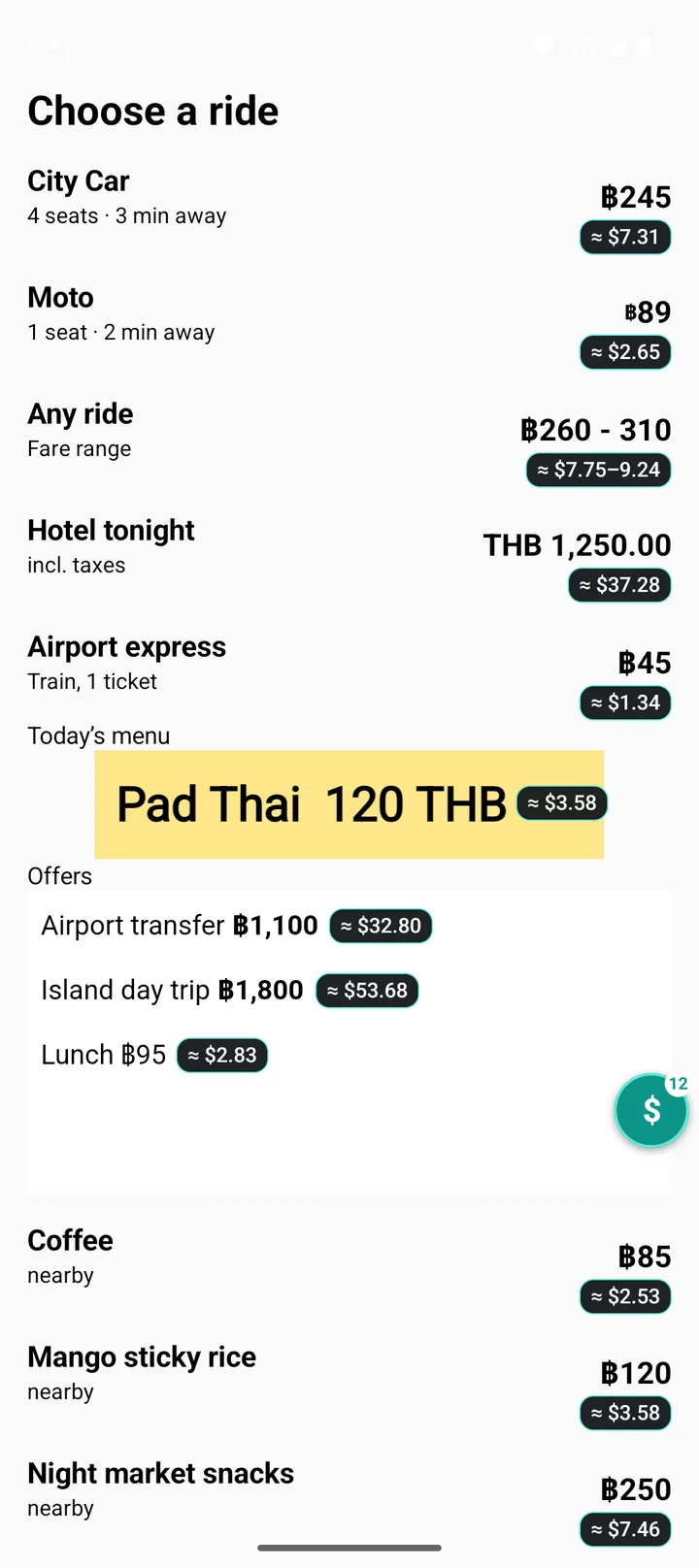
Choose a ride
- City car4 seats · 3 min away฿245
- Moto1 seat · 2 min away฿89
- Any ridefare range฿260–310
- Premium6 seats · 5 min away฿420
- Airport expresstrain · 1 ticket฿45
Tap the bubble. This demo uses rates from 12 October 2026; the app fetches live ones.
How it works
On Android, CurrencyHover reads the prices already on your screen, whichever app you are in. iPhone apps can’t draw over other apps, so on iPhone it reads a screenshot or the camera instead. Either way, prices in your own currency get your travel currency.
On Android
-
 1
1Tap the bubble
Every price in the app you are using gets a tag. Tags follow along as you scroll.
-
 2
2Tap a tag for details
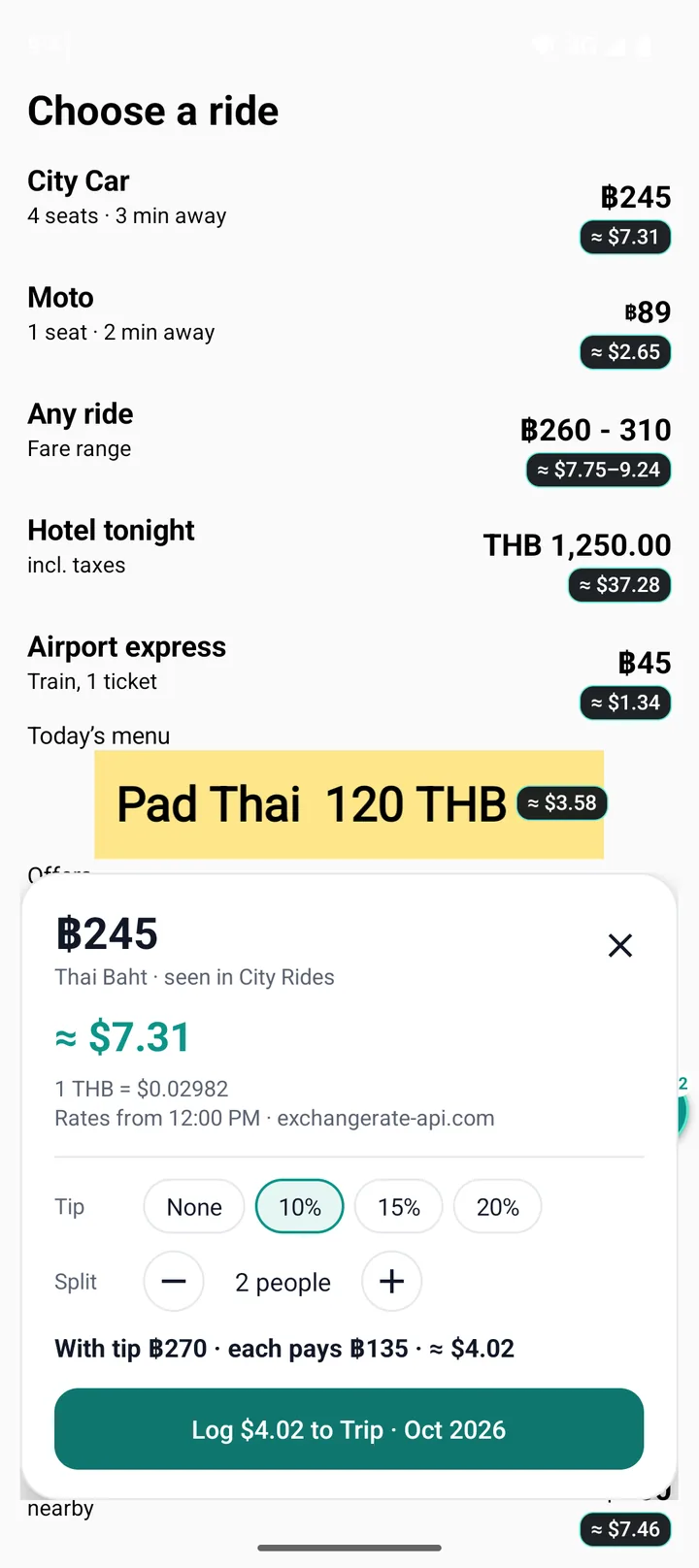
The exact rate, plus a tip and split helper for shared bills.
-
 3
3Log it to your trip
Keep a running total in your currency, at the rate you actually paid.
On iPhone
-
 1
1Share a screenshot
Take a screenshot, tap Share, then CurrencyHover. Every price comes back with a tag.
-
 2
2Point the price camera
Menus, price tags and shop signs get tags live. Your trip log and the live rate are on the same screen.
-
 3
3Make it one tap
Set up Back Tap or the Action button once, and a tap on the back of your iPhone converts whatever is on screen.
Made for traveling
Small touches that keep it out of the way until you need it.
Price camera
Point at a menu, a price tag or a shop sign and prices get tags live. Freeze the frame to read it comfortably.
Trip log
Log a price in one tap and keep a running total in your currency, at the rate you paid. Set a budget and export it as a spreadsheet.
Auto-on
Use it once in an app and tags switch on by themselves the next time you open it.
Controls and widget
A Quick Settings tile on Android, Control Center and Lock Screen controls on iPhone, and a widget with the live rate on both.
Reads prices properly
Signs and codes like ฿, €, RM, Rp and S$, ranges, shorthand like 50k, and plain numbers on screens that show their currency.
Live rates, offline too
Rates for more than 160 currencies, refreshed through the day and kept for when you have no signal. Add a second currency and every tag shows both.
Your screen stays on your phone
On Android, CurrencyHover reads prices through the Accessibility service, which it asks for and explains first. On iPhone it sees only the screenshot or camera image you give it. Either way, everything is worked out on the phone.
- Reads only when you ask. On Android while tags are on; on iPhone when you share a screenshot or open the camera.
- Worked out on your phone. Screen text, screenshots and camera images are never stored or sent.
- No account, no ads, no tracking. The only download is the exchange-rate table.
- The details are in the privacy policy.
Questions
Anything else? The support page has setup help and a way to reach us.
Where can I get CurrencyHover?
The Android version is on Google Play now. The iPhone version is coming soon to the App Store, and this page will link to it as soon as it is live.
How much does it cost?
Nothing. CurrencyHover is free, with no ads, no account and no in-app purchases.
Why does the iPhone version work differently?
iPhone apps cannot draw over other apps or read their screens. So on iPhone, CurrencyHover reads a screenshot you share with it, or the camera, and a Back Tap shortcut turns converting the screen into a single tap.
Why does the Android version ask for Accessibility access?
Accessibility is the Android feature that lets an app read the text on screen and draw tags beside it. CurrencyHover uses it only while price tags are switched on, and only to find prices. Nothing on your screen is stored or sent.
Does it work offline?
Yes. The last exchange rates are kept on your phone, so tags keep working on a plane or without a data plan. Rates refresh every few hours when you are online.
How does it know which currency I am traveling in?
On Android it follows the country of the mobile network. On iPhone it follows your time zone, so it needs no location permission. You can always pick the travel currency yourself in Settings.
Which phones does it run on?
Android 8 or later on 64-bit phones, and iPhones running iOS 18 or later.
Know what it costs, wherever you are.
Free on Google Play now, and coming soon to iPhone.
- Coming soon to theApp Store